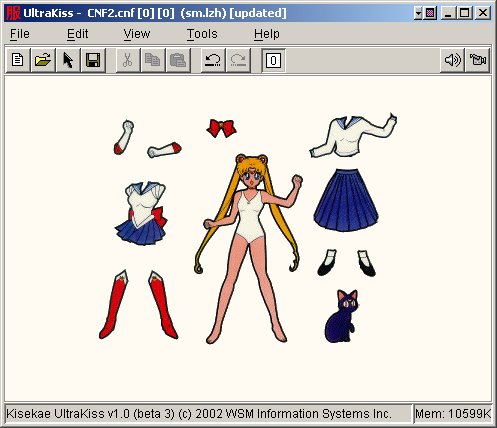
Kisekae UltraKiss is an online KiSS viewer that runs on a web server. You can now use your browser to view, edit, and create KiSS sets without any software installation. Or, you can also download this application and install it as a standalone program on your computer if so desired.
In 2002 I developed a Java computer program called UltraKiss that implements the Kisekae Set system, KiSS, a Japanese graphics system originally developed to facilitate costume changes on virtual dolls. Curious about KiSS? Check Wikipedia.
UltraKiss 5.0 is an open source server based solution for UltraKiss browser access. This version provides WAV, MP3, AU, and MIDI sound on all modern browsers that have appropriate HTML 5 capability. It also provides a full integrated visual development environment for creating KiSS sets from standard image formats.
December 30, 2025. I have developed UltraKiss version 5.0 that provides a websocket version of UltraKiss for browser use. To run UltraKiss in your browser use http://www.wmiles.com:8080/ultrakiss
January 3, 2026. UltraKiss version 5.0 now offers SSL secure connections to the server. To run UltraKiss in your browser simply connect to https://www.wmiles.com/ultrakiss.
January 23, 2026. UltraKiss version 5.0 is now qualified. All functions are operating successfully.
Woo-hoo!
Press the UltraKiss 5.2 button to run UltraKiss in your browser.
My new websocket implementation provides support for upload and download of files from your client computer to my server that runs UltraKiss. If you experience issues please contact me or submit an issue report through GitHub.
For a standard installation download and install UltraKiss from GitHub.
To download the UltraKiss Tutorial files press the button.
For full features download and install UltraKiss from GitHub. To report bugs or provide suggestions for improvement file an issue report on GitHub.
The source code for this project is available on GitHub under project Kisekae UltraKiss. If you are interested in contributing to this project please contact me.
How does this magic work?
UltraKiss is a traditional Java application program that displays all sorts of things on your terminal and uses the mouse and keyboard to interact with you. Traditionally, these applications were downloaded or provided on a diskette and installed on your computer. The software interacted with the hardware on your personal computer.
Today, many applications are programs that run on a server. A server is a remote computer that sits in a data center somewhere in the world. Your browser interacts with these applications through a web page. The web page transmits screen forms and other things such as your keyboard and mouse movements to the server. These transmissions can occur through a normal web page connection or through a web socket. A web socket is a type of wire that connects your browser to the application running on the remote server computer.
To make a traditional application like UltraKiss work in your browser it needs to be installed on a server. I have my own server at www.wmiles.com and I have loaded UltraKiss on this server. Another program that runs on the server listens for incoming connection requests from your browser. When a connection request comes in (this is a URL to a host on the Internet like http://www.wmiles.com) the listening program starts up a new instance of UltraKiss on the server. This instance of UltraKiss is unique to you. If someone else tries to connect to my server while you are connected they get their own instance of UltraKiss and cannot interfere with you.
The connection program (this is software known as a Jetty server) responds back to your browser with an HTML web page. This web page contains directives to establish an HTML canvas object in your browser. This canvas object is used as your screen. The browser software in your computer can draw things on this canvas. This web page also loads Javascript code from my server. This Javascript code instructs your web page how to draw on the canvas and how to send information back to the server when you move your mouse or type keys or do other things on your computer.
One of the very first things UltraKiss does when your instance starts running is establish the web socket to your computer. UltraKiss then draws its screen to something called a virtual display on the server. A virtual display is software that emulates a display just like the screen on your computer. Once the web socket is established UltraKiss sends a picture of its virtual display to your computer. The Javascript code on your computer receives this picture and draws it to the canvas on your screen. You can now see what UltraKiss looks like while running on the server!
Now that you see this you can move your mouse or type keys or do other things to interact with your screen. The Javascript on your computer captures these movements and sends them back to the server through the web socket. Ultrakiss then moves the mouse on its virtual display or performs mouse clicks or other things and sends another picture of its virtual display back to your computer so you can see what happened.
Both your computer and the UltraKiss program running on my server cooperate to send information back and forth. This happens very quickly and many times a second. It happens so quickly that it actually looks like UltraKiss is running on your computer.
Of course, things are a bit more complicated than this simple description. There are robots running around doing work on the server and other things happening in the background, but this simple description describes the basic operation.
Using UltraKiss
To access KiSS sets available on the Internet at OtakuWorld or other sites use the File-Open Portal menu command to open the UltraKiss Portal and click on a link. To open KiSS sets available on your computer use the File-Open menu command.

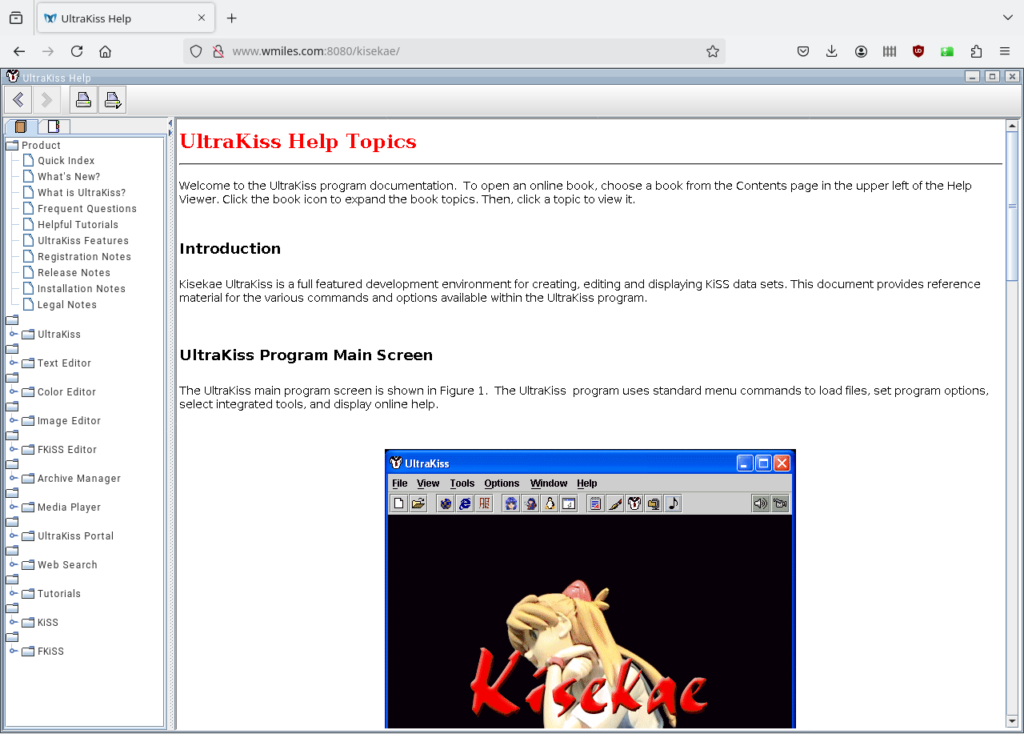
For assistance with using the UltraKiss Integrated Development Environment tools use File-Help to refer to the UltraKiss Help documentation. For developing KiSS sets refer to the KiSS specification and the FKiSS command syntax and the Tutorials included with the UltraKiss Help documentation.
For further information and history regarding UltraKiss see my mad science blog post UltraKiss and my posting about my historical Kisekae Sets.